
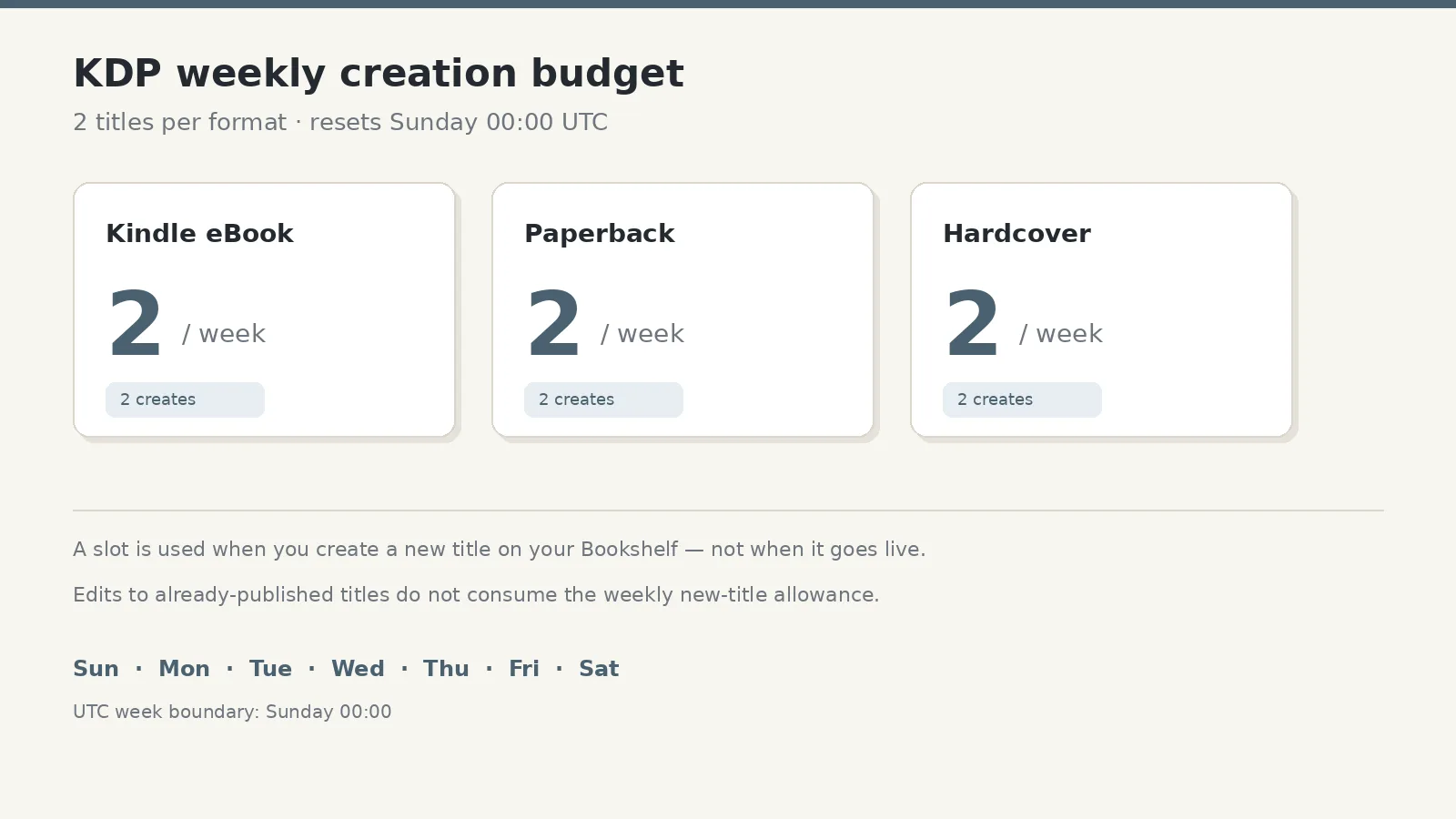
You click + Create on your KDP Bookshelf for the third Kindle eBook this week and the setup will not open. The counter is not a soft suggestion. Since 21 September 2026, Amazon limits new-title creation to two per book format each week, and that week resets every Sunday at 00:00 UTC. Separately, Kindle eBook pre-orders created on or after 2 September 2026 can schedule a release up to 18 months out—so the ops question is no longer “how many can I upload today,” but “which creates belong in which UTC week, and which go-lives can wait on a pre-order.”
This note is a publishing calendar tool: count creates, separate formats, stage series and box sets, and spend empty create days on cover, metadata, and backmatter instead of fighting the Sunday reset.
What the Bookshelf wall actually counts
KDP’s Create a Book Help page states the rule in one sentence: authors are limited to 2 titles per book format each week, “to ensure a positive experience for all authors.”
Trade coverage fills in the operational edges Amazon’s short Help line leaves implied:
- The Bookseller (24 September 2026) reports the cut from 10 to 2 per format, in force from 21 September 2026.
- Publishers Lunch (24 September 2026) notes the limit resets Sunday at 12:00 AM UTC, and that Amazon’s FAQ says existing titles are unaffected.
- ALLi’s Self-Publishing Advice Centre quotes the same Sunday UTC reset and confirms the change applies to new titles only.
Three facts that change how you plan:
- Formats are separate counters. Two new Kindle eBooks, two paperbacks, and two hardcovers can still be created in the same UTC week. A box-set week that needs three eBooks still overflows—one waits.
- The slot burns on create, not go-live. Opening a new title on the Bookshelf uses the allowance. You can create early, hold a draft or a pre-order, and align release dates later.
- Edits to already-published titles do not consume the weekly new-title allowance. Amazon’s FAQ language, as reported by Publishers Lunch and ALLi, limits the rule to creating new titles; catalogue care on live books (price, description, manuscript updates) is the path that does not burn a create slot.
If you want the disclosure-and-craft frame that sat beside the cap in late September, see our earlier note on using AI like a serious publisher. This page stays on cadence only.
The 18-month pre-order window as a staging tool
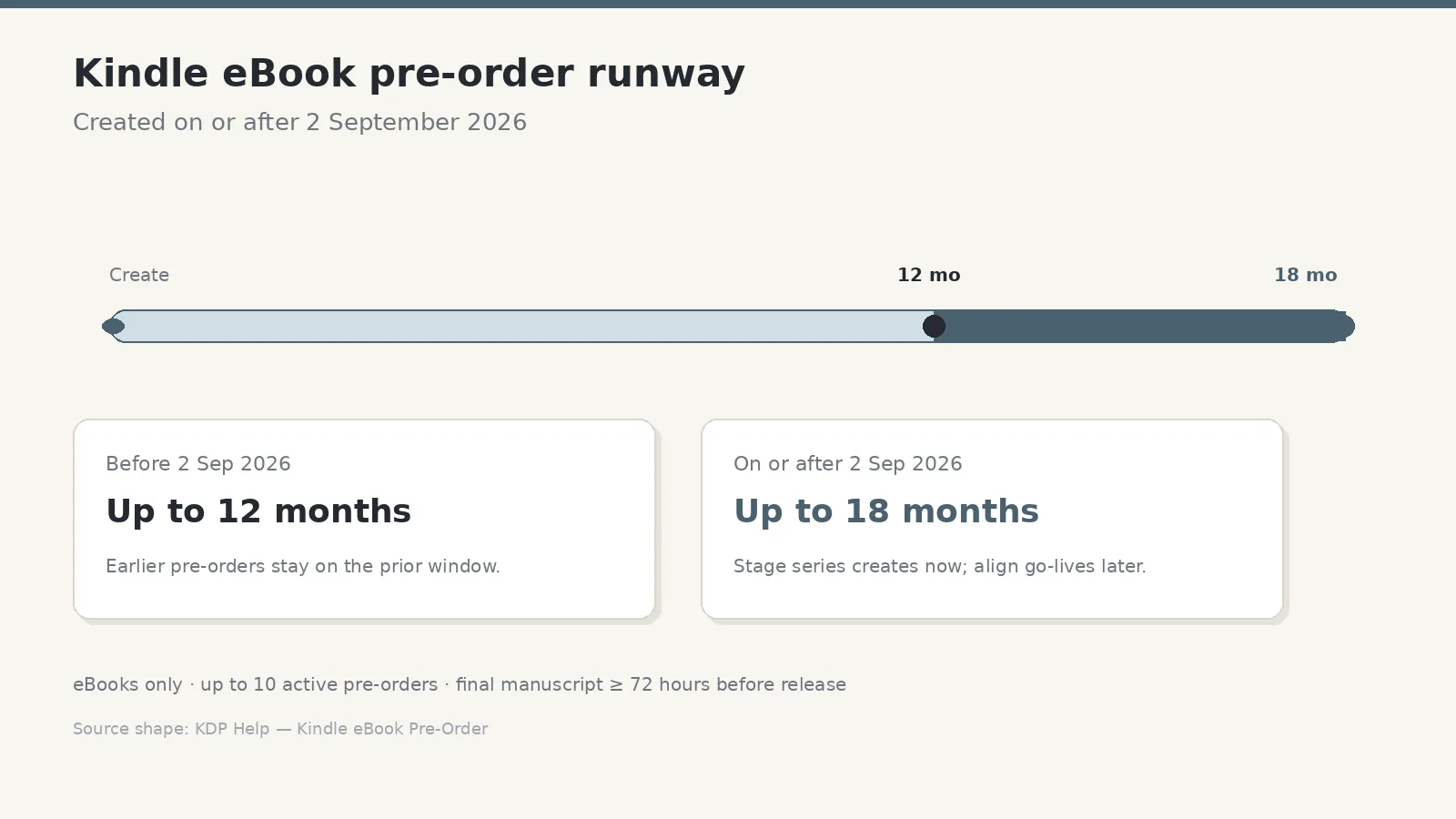
Per KDP’s Kindle eBook Pre-Order Help page:
- Pre-orders are eBooks only (not paperbacks or hardcovers). Print can still use a scheduled release date, which is not the same as a customer-facing pre-order.
- Release date can be up to 18 months ahead for pre-orders created on or after 2 September 2026, or 12 months for those created before that date.
- You may have up to 10 active pre-order titles at a time.
- Final manuscript must be uploaded and submitted at least 72 hours before release, or the pre-order can cancel and privileges may be affected.
- Postponement and privilege rules also changed for post–2 September creates—read the Help page before you rely on a long runway.
The practical use under a two-create weekly budget: spend creates when the Bookshelf allows them; park go-lives on pre-order dates that serve the series. A three-book arc, a translation wave, and a box set no longer need to share one launch week’s create slots if you stage the Bookshelf entries across Sundays and let the product pages collect pre-orders until the dates you chose.
A 4–8 week create-versus-release calendar
Treat the next month or two like a production budget. Map creates on one row and releases on another. They do not have to match week-for-week.
Week 0 (this Sunday–Saturday UTC). List every new SKU you still intend to put on the Bookshelf: new novels, translations, box sets, special editions, hardcovers that do not exist yet. Mark format for each. Anything above two per format in a single UTC week moves.
Weeks 1–2. Spend create slots on the titles that must exist soonest as product pages—usually the next eBook in a series and its matching print, or the first title in a translation set. If the marketing date is later, set the Kindle title as a pre-order with the real go-live. Use the second slot for the next-most-urgent create, not for “nice to have.”
Weeks 3–4. Create the overflow: box set, second translation, hardcover of a title whose eBook already went up. Align pre-order or schedule dates so readers see one coherent launch week even though you burned creates earlier.
Weeks 5–8. Keep a rolling buffer. If a week has only one forced create, do not invent a second title to “use” the slot. Spend the empty day on cover variants, A+ modules where available, backmatter links, category tests, and proof orders. Those tasks keep the catalogue sharp without touching the weekly new-title counter.
A compact pattern many series publishers will recognise:
| UTC week | Creates (example) | Go-lives (example) |
|---|---|---|
| Week A | eBook 1 + paperback 1 | — |
| Week B | eBook 2 + hardcover 1 | — |
| Week C | Box-set eBook + translation eBook | eBook 1 + paperback 1 |
| Week D | eBook 3 + paperback 2 | eBook 2 |
Exact rows depend on your list. The habit is what matters: create when the counter allows; release when the reader calendar makes sense.
What to do on “empty” create days
When both slots for a format are already used—or when you deliberately leave a slot unused—move work that never needed a new Bookshelf row:
- Finish covers and spine proofs for titles already created.
- Tighten metadata, keywords, and categories on live books.
- Refresh end-matter CTAs and series-order pages.
- Order and review print proofs.
- Check royalty and payout files so format mix stays readable—many publishers keep that side tidy with a tool such as Royalties Bot 2.0.
Quality-over-volume here is a calendar skill, not a slogan. The platform already capped velocity; your job is to spend the remaining creates on finished work and to let pre-orders carry the public timeline.
A short weekly checklist
- Convert your local week to Sunday 00:00 UTC before you plan Friday night creates.
- Count planned creates by format, not by marketing launch day.
- Move overflow titles onto the next UTC week—or onto an 18-month Kindle pre-order if the product page should exist early.
- Confirm manuscript deadlines (72 hours before release) on every active pre-order.
- Protect live-catalogue edits for days when you are already at the create limit.
- Re-read current title creation and pre-order Help wording before you lock a multi-month plan—platform rules change.
Editorial note: KDP title-creation limits, pre-order windows, and privilege rules change. Confirm current wording in your own KDP account and Help Centre before you publish. This note is general information, not legal or financial advice.