
The morning after a BookBub feature used to be the morning you put the price back. That habit now has a cost. Some of the readers who missed the email may meet your book again the next day, and that second look only works if the price on the product page is still the price BookBub named.
A Featured Deal was a single morning. It is now a short window, and the length of that window is something you decide before the date is locked, not on the day the email goes out. This note is about making that one decision well.
What BookBub changed
BookBub Partners set out the change in New: An Update to Featured Deals (the page reads “Updated September 30, 2026”). In BookBub’s own terms:
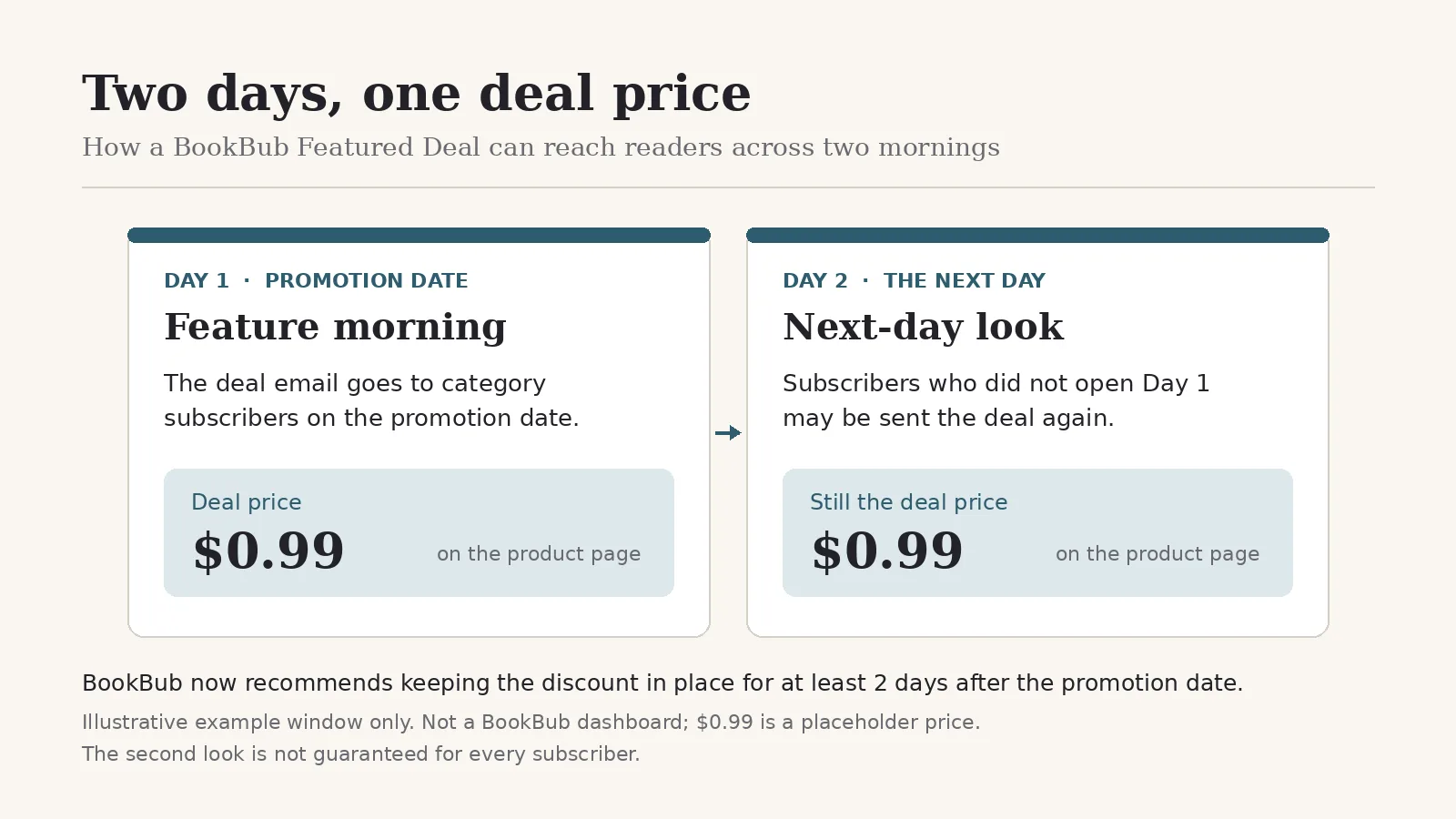
- Featured Deals are still sent to all category subscribers, for their included regions and retailers, on the promotion date.
- If any of those subscribers do not open their email that day, your deal may be sent to them again the next day.
- Which of the previous day’s deals a reader sees, and in what order, is personalized from their category subscriptions and their past open and click behaviour.
- The extra day is included in the cost of the promotion. Every feature is automatically eligible.
- BookBub now recommends keeping the discount price in place for at least two days after the promotion date.
BookBub says its tests showed more readers clicking on deals each day and an overall increase in deal clicks. It did not publish a figure, so there is no number to plan around. The fair reading is narrower: some subscribers who skipped the first email may see your book once more. It is not a promise that every subscriber sees it twice.
BookBub’s older support article on Featured Deals still describes a single send. The partner update is the newer statement, and it is the one this note follows.
Why the price has to hold
A one-day discount used to match a one-day email. If the price snaps back the next morning, the reader who opens the follow-up email clicks through to a book at full price, under a deal line that no longer matches the page. That click came with the feature you already paid for, and it lands on the wrong price.
So the question to settle before you book is simple. How many days, counting from the promotion date, will the deal price stay exactly what BookBub listed? BookBub’s guidance says the promotion date plus at least two more. Write that end date down when you submit, alongside the feature date, and treat it as part of the booking.
If you change the price by hand at each store, put the return to list price on the calendar for the day after that window ends, not for the day after the email.
If the deal is a Kindle Countdown
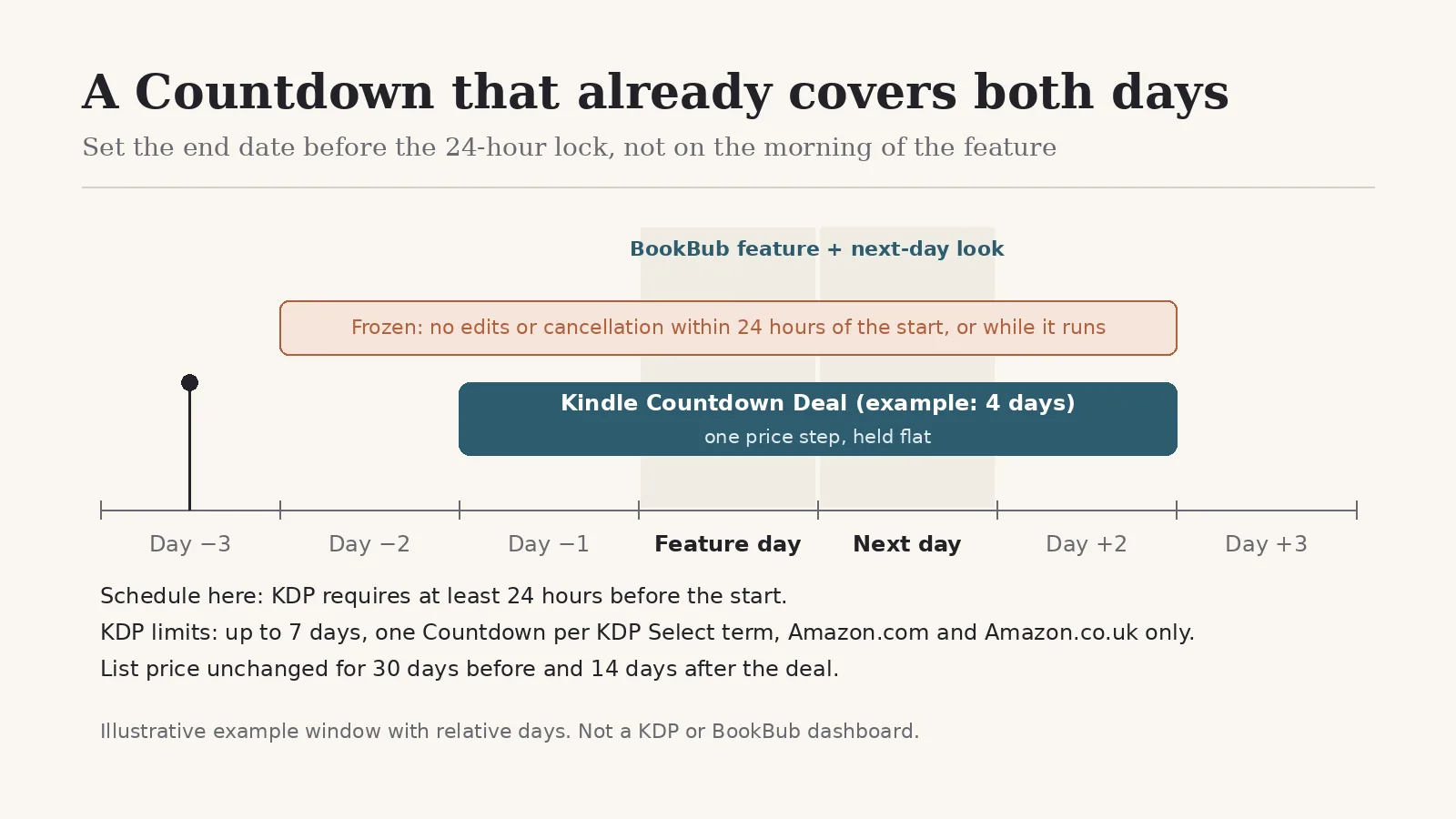
A Kindle Countdown Deal is the version of this problem with the least room for second thoughts, because the end date freezes early. KDP’s Kindle Countdown Deals Help page sets the limits:
- Countdowns run only for Kindle eBooks on Amazon.com and Amazon.co.uk.
- You get one Countdown per KDP Select term, and in a given term you can run either a Free Book Promotion or a Countdown, not both.
- A Countdown must be scheduled at least 24 hours before its start.
- Once scheduled, it cannot be edited or cancelled within 24 hours before it begins, or while it runs. It finishes on the schedule you originally set.
- The digital list price must stay unchanged for 30 days before and 14 days after the deal.
- The maximum length is seven days.
Put together, this means the Countdown has to already cover the feature date and the days after it at the moment you confirm it. If the BookBub date moves, or you realise the end date is a day short, there is no adjusting it once you are inside that 24-hour lock. KDP offers no exception, so the only safe moment to get the length right is before you schedule.
Two details on the same Help page are worth checking against your BookBub listing:
- Price steps. A Countdown can climb through up to five price increments. If the price steps up during the window, the next-day reader may find a higher price than the one in the email. Holding one flat step across the feature days keeps the page and the listing in agreement.
- Time zones. KDP runs a Countdown on Amazon.com in Pacific time and on Amazon.co.uk in GMT. Make sure the start lands before the feature email does, in the time zone of each store.
A Countdown also covers only those two Amazon stores. If your feature includes other regions or retailers, those prices need their own plan for the same window.
The decision, before the date locks
The catalogue already exists. Friday’s note was about staging new titles under KDP’s weekly creation budget. This one is about selling a book that is already published, and the work is small:
- When you submit to BookBub, decide the full deal window: the promotion date plus at least two days.
- Choose how the discount will run in each store the feature covers.
- For a Countdown, set the start before the feature, the end after the window, and one price step, then schedule it with more than 24 hours to spare.
- Check the product pages on the feature morning and again the next morning. The price should read the same both times.
That is the whole adjustment. The feature is no longer one morning, and the price on the page should be true for as long as BookBub may show it.
Editorial note: BookBub Featured Deal policies and KDP promotion rules change. Confirm current wording with BookBub Partners and in your own KDP account and Help Centre before you schedule a promotion. This note is general information, not legal or financial advice.